What Algorex Theme Switcher shows
What Algorex Theme Switcher does and what it shows on your chart.
Written By Algorex Trading Support
Last updated About 12 hours ago
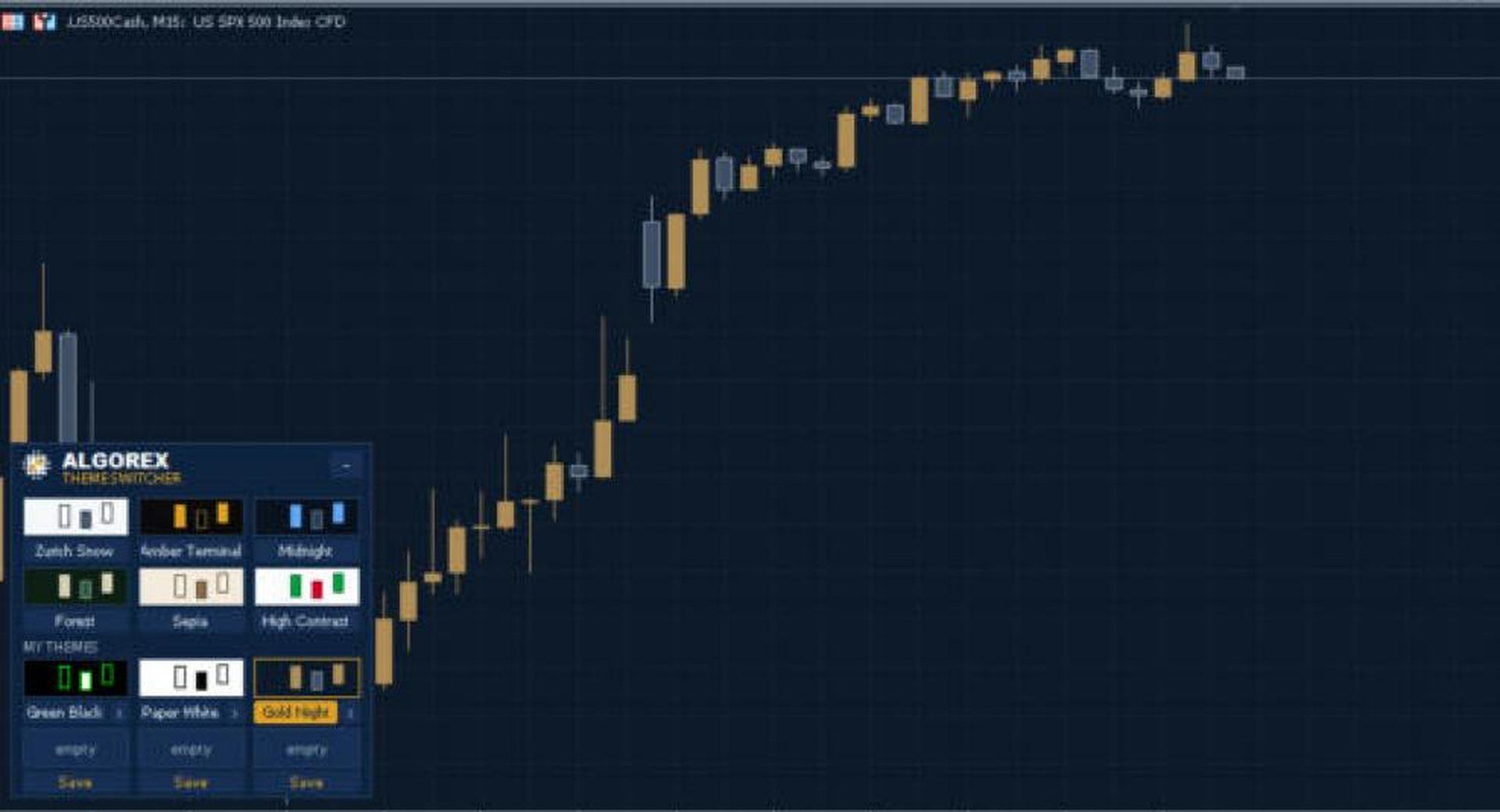
Algorex Theme Switcher puts six carefully balanced colour themes and six slots for your own themes on a compact panel in the corner of your chart. One click recolours this chart or all open charts at once. Unlike loading a template, the switcher only changes colours: Expert Advisors, indicators and drawings stay exactly where they are.
Built-in themes
Zurich Snow: clean light theme with slate candles
Amber Terminal: black screen with amber candles
Midnight: deep navy with blue candles
Forest: dark green with sand-coloured candles
Sepia: soft paper tones
High Contrast: white background, strong green and red candles
Your own themes
Colour the chart as you like (F8, Colours tab) and click Save on an empty slot
Six slots, each with a name you choose in the inputs
To remove a theme, click the small x twice
Where to get it
MetaTrader 5: mql5.com/en/market/product/207707
MetaTrader 4: mql5.com/en/market/product/207709
Was this helpful?
Still need help? Share an idea